A small change and everything falls apart
Change the geometry and you have to move dimensions, lines and labels again. One change leads to several more.
In Weldia Designer, dimensions are linked to the joint geometry.
Weldia Designer 2
Draw weld joints for a WPS, a work instruction or a test report. Dimensions stay on the geometry, the symbol follows ISO 2553 or AWS A2.4 and you export a PNG. Your WPS documents can stay where they are.
Designer on a trial after sign-up · from 168 US$ per user and year · nothing to install
54 seconds in real time: from an empty canvas to a dimensioned joint with its weld symbol.
01 What slows you down today
If your WPS live in Word, Excel or another system, you can start using Weldia Designer for the drawings. Moving the whole documentation is not needed.
Change the geometry and you have to move dimensions, lines and labels again. One change leads to several more.
In Weldia Designer, dimensions are linked to the joint geometry.
Somebody has already drawn a similar joint. But you cannot find the file, so you repeat work that was already done.
In Weldia Designer, you find drawings in a shared library and adapt them for the next joint.
You do not need a whole CAD system for a weld drawing. In Word or Excel, you assemble lines and symbols by hand.
In Weldia Designer, you assemble the joint from ready-made parts and export the drawing into your document.
02 How it works
Shown on a T-joint of a pipe and a plate, the same one you see in the video above.
Parametric plates, pipes, bars, profiles and reinforcement. Add the welds parametrically in the same way.
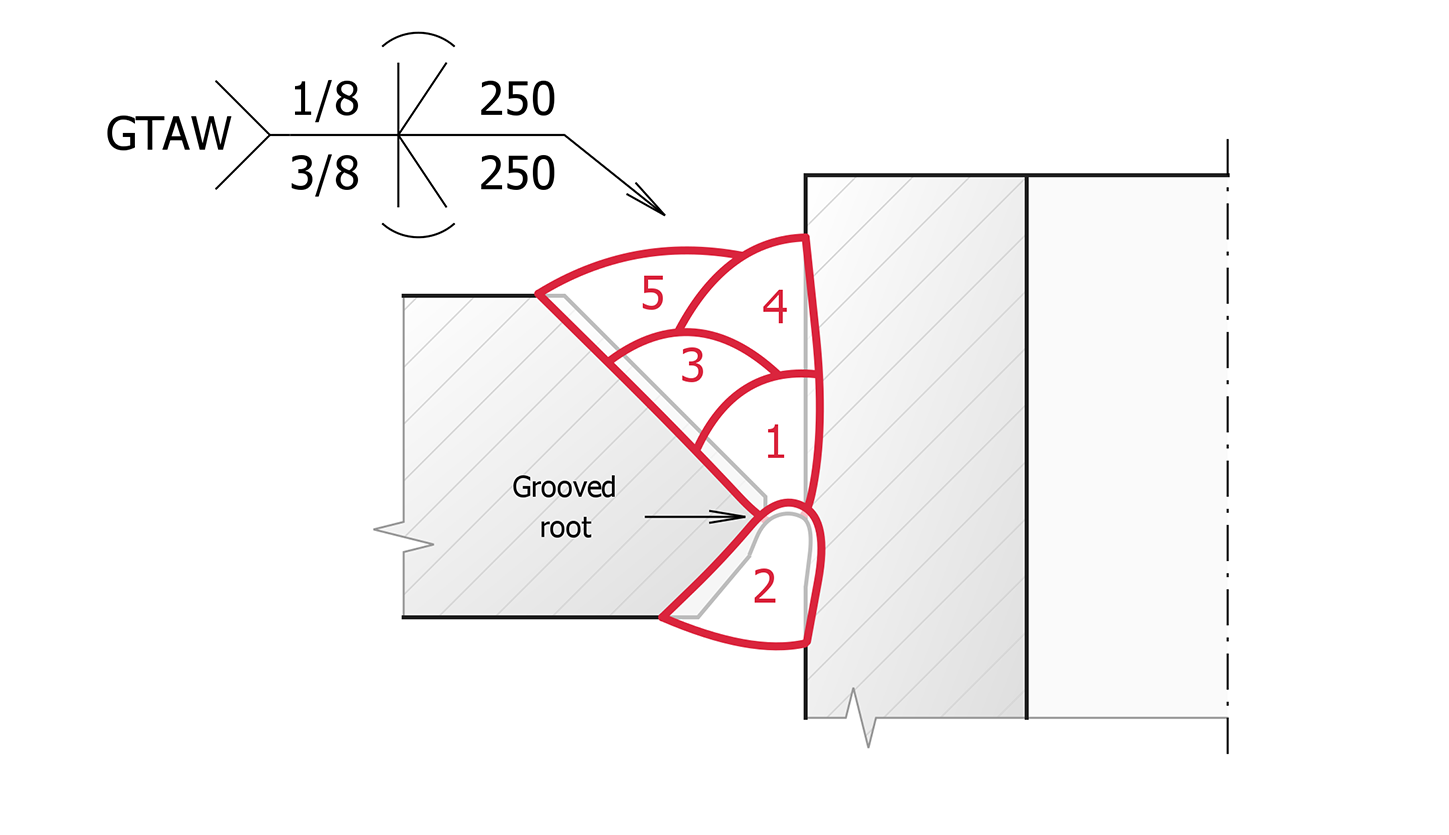
Automatic dimensions from picked edges, numbered beads and the weld symbol to ISO 2553 or AWS A2.4.
Download the weld preparation and the welding sequence as PNG and paste them into your WPS document.
03 Features
Designer 1 was quick, but dimensions, the symbol and bead numbering still took most of the time. Designer 2 does them for you.
24 weld types to ISO 2553 and 17 to AWS A2.4, with sizes, surfaces, modifiers and the tail. Every change shows at once.
Pick edges and the dimension draws itself, labelled t1, t2 or ⌀D as in a WPS, or with the measured value. Move a plate and the dimension follows.
Number the beads, show the joint with or without them and lock what is finished. A multi-pass weld reads as a numbered column.
Saving happens as you work. The next WPS starts from the last drawing, yours or a colleague's, found by its name.
Draw each bead in one stroke and it becomes a proper bead with the next number. Twelve beads are twelve strokes.
One click turns the 2D drawing into a 3D section for the shop floor or a training.
The 3D view is read-only for now and not every object has a 3D shape yet.
04 References
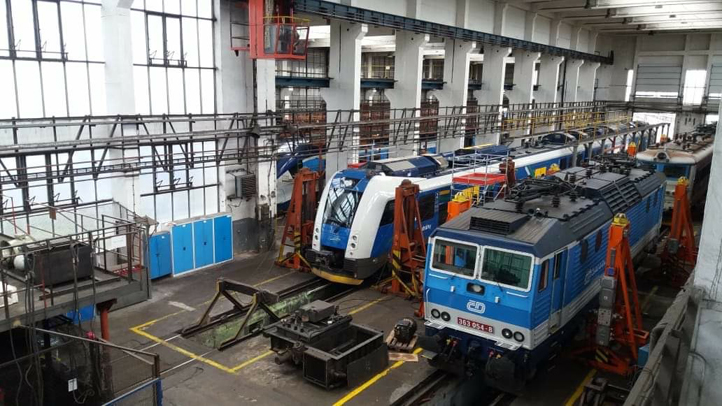

Weld joints for railway vehicle repairs
We particularly appreciate how easy it is to create detailed sketches for WPS documentation directly in the browser, which significantly speeds up approval by welding supervisors.
Milan Kadlec
Technical specialist
České dráhy
Their applications are always fast, intuitive and save me a lot of time.
Daniel Petřík, IWT, IWI-C
Technologist, welding supervisor (Responsible Welding Coordinator)
BAUMRUK & BAUMRUK
Weldia software has made managing WPS and WPQR much easier for us.
Ing. Miloš Jirák
Head of machine production
SEA Enterprises
As we manage more than 1,000 WPS, this module has greatly helped us make our welding documentation work more efficient and organised.
Ing. Petr Liška
Welding engineer, EWE/IWE
Vexve05 ISO and AWS
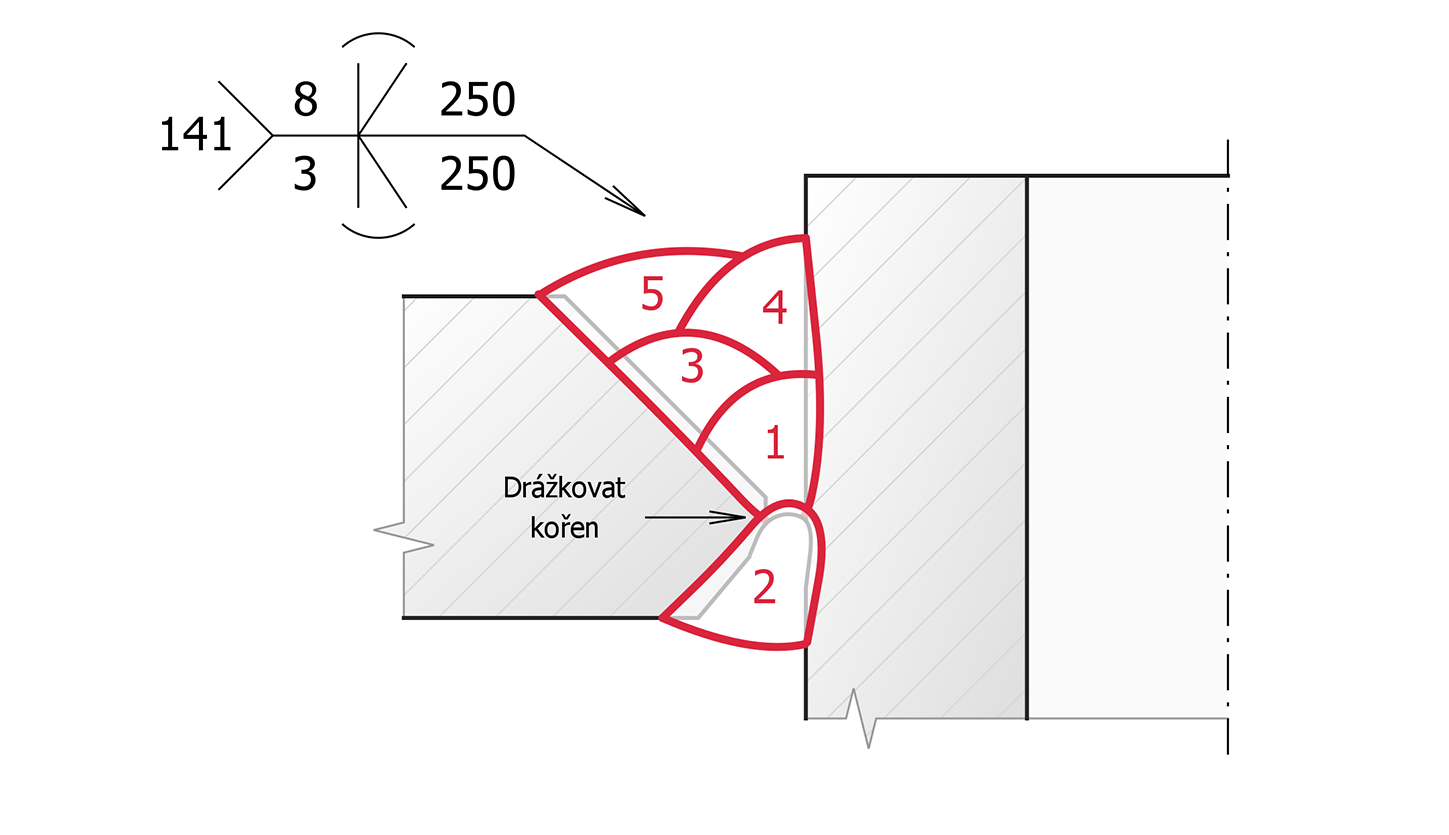
A WPS for an American customer wants AWS A2.4, the same joint for Europe ISO 2553. Draw it once and switch the standard: the identification line, the size notation, the process in the tail and the dimension style are redrawn. All about supported standards
Process 141 to ISO 4063 in the tail
06 Output
Paste it into Word, Excel or your WPS form. In Weldia WPS the drawing is part of the document without any export.
07 What to expect
Designer is a tool for weld details. Here is what it does today, limits included.
08 Price
One licence per user, paid once for the whole term. Nothing renews by itself; you renew from your account.
| Term | You pay per user | Per month |
|---|---|---|
| 1 month | 55 US$ | 55 US$ |
| 3 months | 67 US$ | 22 US$ |
| 6 months | 105 US$ | 18 US$ |
| 1 year most chosen | 168 US$ | 14 US$ |
| 3 years | 428 US$ | 12 US$ |
Prices excl. VAT. Weldia WPS already contains Designer for its users.
Weldia WPS has Designer built in. You insert a drawing into a WPS or WPQR without exporting a file and keep drawings and documents in one place.
No. You put together plates, pipes, bars and profiles from the palette and type their dimensions. Dimensions and symbols come from tools made for weld drawings.
No. Designer does not import photos, DWG or DXF. It draws with its own objects and exports PNG.
Only if you want to write and manage the documents in Weldia too. For drawings in your own documents, Designer is enough.
Start from the closest plate, pipe or profile and finish it with free lines, free shapes and text. Tell us which joint it was; the palette grows from exactly such requests.
Yes. Drawings are kept in one library shared within the company account, with search. Anybody with a licence can open and edit them.
No. Each licence belongs to one named user. When somebody leaves, the account administrator assigns it to someone else.
They are already in Designer 2, exactly as they were. Nothing to convert or upload again.
No. You pay for 1, 3, 6, 12 or 36 months at once and renew from your account before the end; the new licence follows on.